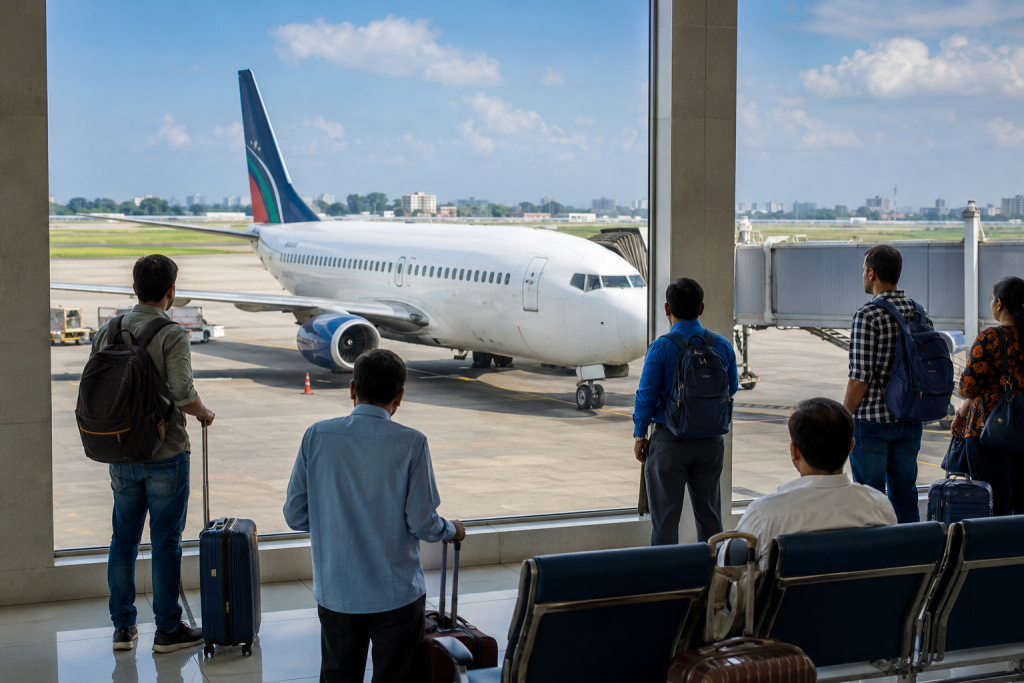
When flying with Frontier Airlines from Orlando International Airport (MCO), it’s essential to know your way around the terminal. Whether you’re a first-time traveler or a frequent flyer, understanding the airport layout, amenities, and check-in procedures can streamline your journey. One of the most commonly asked questions is: What terminal is Frontier Airlines at MCO?
This comprehensive guide covers everything you need to know about Frontier Airlines at MCO, including terminal details, check-in tips, security information, amenities, and more — making your airport experience smoother and less stressful.
What Terminal is Frontier Airlines at MCO?
Frontier Airlines operates out of Terminal A at Orlando International Airport (MCO). Specifically, the airline uses the Airside 1 gates, which are connected to Terminal A via an automated people mover (APM).
Terminal A is located on the northern side of the main terminal building, also known as the North Terminal Complex. This area is shared with other low-cost and domestic carriers, but Frontier has a prominent presence here, especially for domestic flights.
Knowing the terminal is just the first step; now let’s explore how to navigate your entire Frontier Airlines journey through MCO.
Step 1: Getting to Orlando International Airport (MCO)
Before entering the terminal, make sure you’ve planned your transportation to MCO. The airport is located about 10 miles southeast of downtown Orlando. Here are the main ways to get there:
-
By Car or Taxi: Drop-off areas are clearly marked for Terminal A.
-
Rideshare Services: Uber and Lyft are available and drop passengers at the Departures level.
-
Public Transit: The Lynx Bus System (Route 11, 42, 51, and 111) serves MCO.
-
Airport Shuttle: Many hotels offer free shuttles to the airport.
Step 2: Finding the Frontier Check-In Area
Once you arrive at Terminal A, proceed to the Level 3 Departures Area, where the Frontier Airlines check-in counters are located. Look for signage for:
-
Airlines A–M (Frontier will be listed here)
-
Counters 1–59 (these are typically used by Frontier)
Here you can:
-
Check in for your flight
-
Print your boarding pass
-
Check luggage or pay for baggage fees
-
Ask customer service for travel assistance
Tip: To save time, check in online via Frontier’s app or website 24 hours before departure. You can also pay for bags and select your seat ahead of time.
Step 3: Going Through Security
After checking in, proceed to the TSA security checkpoint near Airside 1. Here are a few important things to know:
-
Peak hours are between 5 AM–8 AM and 4 PM–7 PM
-
Use TSA PreCheck if eligible to speed up the process
-
Allow at least 90 minutes for domestic flights and 2 hours for international flights
After security, you’ll board the automated people mover (APM) to reach Airside 1, where Frontier Airlines gates are located.
Step 4: Locating Your Gate at Airside 1
Airside 1 serves several airlines, but Frontier typically uses Gates 1–29, depending on availability. Once you arrive via the tram:
-
Check the digital monitors for your flight number and gate
-
Follow directional signs for your assigned gate
-
Restrooms, restaurants, and seating areas are all easily accessible in the concourse
Frontier gates are clearly marked, and staff is available if you need assistance.
Step 5: Exploring Food and Amenities at Terminal A
MCO’s Terminal A and Airside 1 are well-equipped with facilities to help pass the time. If you arrive early or face a delay, here are some things you can enjoy:
Dining Options (Pre-Security and Post-Security):
-
Starbucks (great for a caffeine boost)
-
Cask & Larder (Southern-style meals and cocktails)
-
Burger King and McDonald’s (fast-food options)
-
Zaza Cuban Comfort Food (local favorite)
Retail and Shopping:
-
Hudson News (snacks, books, travel accessories)
-
Duty-Free Shops (international flights only)
-
Tech on the Go (electronics and travel gadgets)
Services:
-
Free Wi-Fi throughout the terminal
-
Charging stations at most gates
-
Pet relief areas
-
Family restrooms and nursing rooms
Step 6: Boarding Your Frontier Airlines Flight
Boarding for Frontier flights typically begins 30–40 minutes before departure. Since Frontier follows a zone-based boarding system, listen for announcements or check the boarding group listed on your boarding pass.
Here’s what to expect:
-
Frontier is a low-cost carrier, so carry-on and checked bags must be pre-paid unless you’re an Elite member or have selected a special bundle.
-
Seats are assigned, and upgrades to Stretch seating are available.
-
If you haven’t printed your boarding pass, you can scan your digital version from your phone at the gate.
Frontier Airlines Baggage Policy at MCO
Understanding Frontier’s baggage policy is key to avoiding last-minute charges at the airport. Here’s a quick breakdown:
-
Personal Item: Free (must fit under the seat: 14″ x 18″ x 8″)
-
Carry-On Bag: Additional charge (overhead bin)
-
Checked Bag: Additional charge; max 50 lbs, 62 linear inches
-
Overweight/Oversize Fees: Extra charges apply
Tip: Pay for your bags online ahead of time for a lower fee.
Frontier Airlines Customer Service at MCO
Need help? Frontier Airlines customer service desks are located near the check-in counters on Level 3 of Terminal A. You can also reach Frontier via:
-
Phone Support: Through the Frontier mobile app or website
-
Live Chat: Available 24/7 on their website
-
Social Media: Active support via Twitter/X and Facebook
Accessibility and Special Assistance
Frontier Airlines at MCO is equipped to assist travelers with disabilities or mobility challenges. Services include:
-
Wheelchair assistance (request in advance or at the airport)
-
TTY/TDD services
-
Accessible restrooms and elevators
-
Designated parking for disabled guests in all parking garages
Contact Frontier at least 48 hours before departure to arrange special services.
Picking Up or Dropping Off a Frontier Passenger
Drop-Off:
-
Use the Departures Level (Level 3) at Terminal A
-
Quick drop-off is available curbside
-
Avoid leaving your car unattended to prevent ticketing
Pick-Up:
-
Use the Arrivals Level (Level 2) at Terminal A
-
Park in the Cell Phone Lot if arriving early
-
Digital signage will guide you to passenger pickup zones
Hotels Near Orlando International Airport
If you have an early morning Frontier flight or are arriving late, consider staying near the airport. Here are a few convenient options:
-
Hyatt Regency Orlando International Airport (inside the terminal)
-
Marriott Orlando Airport Lakeside (5 minutes away)
-
Hampton Inn Orlando Airport (free shuttle available)
-
Aloft Orlando Airport (modern amenities, great for layovers)
Tips for a Smooth Frontier Airlines Experience at MCO
-
Arrive Early: At least 2 hours before your flight, especially during holidays.
-
Use Mobile Check-In: Avoid lines and go straight to security if you have no checked bags.
-
Know the Rules: Read Frontier’s fare class rules carefully, especially regarding bags.
-
Charge Your Devices: Use the charging stations near the gates.
-
Stay Updated: Monitor your flight using the Frontier mobile app or MCO’s real-time updates.
Final Thoughts
Orlando International Airport is one of the busiest airports in the U.S., but navigating it becomes easy once you know what to expect — especially when flying with a specific airline. So, what terminal is Frontier Airlines at MCO? It’s Terminal A, Airside 1 — and now you know exactly how to get there, what services are available, and how to make your trip as smooth as possible.